
Add and manage bills
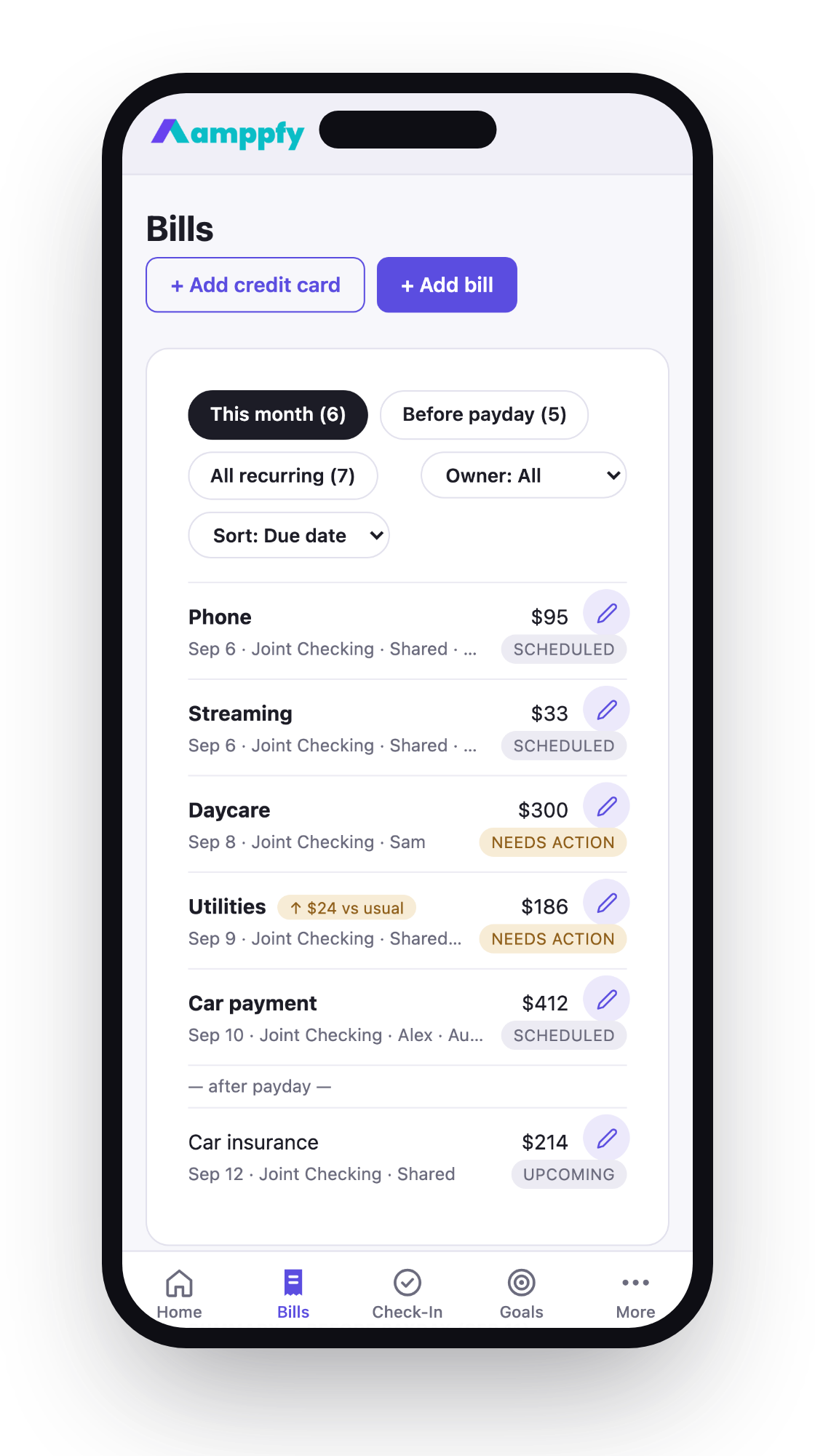
Bills are the second line of your Safe-to-Spend™ math — only the ones due before your next payday count against the number.
Add a bill
Section titled “Add a bill”- Go to Bills and choose Add bill.
- Give it a name, an amount, a due date, and the account it’s paid from.
- Save — if it’s due before your next payday, your number updates immediately.
During setup, the most common household bills are pre-listed — rent or mortgage, electric, gas, water, trash, phone, internet, streaming — so you fill in amounts rather than starting from a blank page.

Statuses
Section titled “Statuses”Each bill carries a simple status — upcoming, due soon, paid. Statuses inform; they never shame. Something that needs a person’s attention shows as a heads-up in Needs Review, not an alarm.
Credit card payments
Section titled “Credit card payments”Add each card’s minimum payment as a bill. It gets counted before your number appears — so what’s left is genuinely spendable, and the balance stops quietly growing. Amppfy doesn’t build payoff plans; it makes room for the payments you’ve already committed to.
Editing and deleting
Section titled “Editing and deleting”Open any bill to change its amount, due date, or account — the number recalculates everywhere the moment you save. Deleting a bill removes it from the math the same way.