
Bills roll forward on their own
Enter a bill’s due date once and Amppfy carries it forward each cycle, so rent keeps landing on the 1st and the phone bill on the 15th without anyone touching them.
The date you enter is the anchor
Section titled “The date you enter is the anchor”When you add a recurring bill — weekly, biweekly, monthly, or yearly — the due date you type is an anchor, not a one-off. From it, Amppfy projects the next occurrence and the ones after that:
- Weekly and biweekly step forward by 7 or 14 days.
- Monthly and yearly keep the same day of the month. A bill anchored on the 31st lands on the last day of shorter months.
- One-time bills happen once, on the date you gave. After that date passes they stay in your list as history and aren’t projected.
Once a due date passes, the bill shows its next due date everywhere — the Bills tab, the check-in, the calendar, and the road-to-payday ledger on the dashboard. To move a bill to a different day, edit its due date; the new date becomes the anchor from then on.
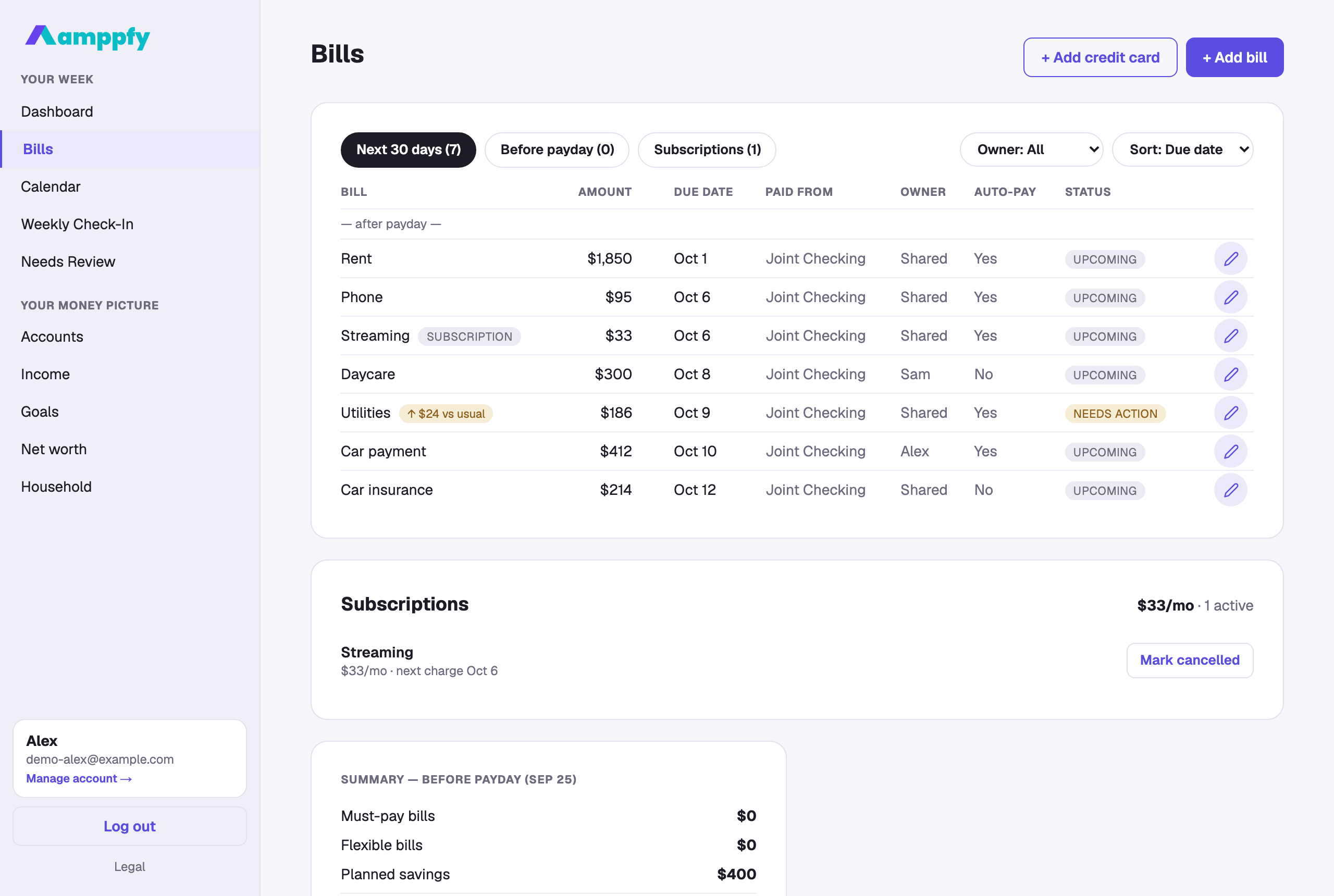
Next 30 days
Section titled “Next 30 days”The Bills tab opens on the Next 30 days chip, which shows every projected occurrence in the coming month. Because a bill’s next date rolls into the following month as soon as its current one passes, this is the view that always has something useful in it — even in the last week of a month.
The Before payday chip narrows the list to just the occurrences that count against your number, and Subscriptions shows the ones you’ve marked as subscriptions.
What counts against the number
Section titled “What counts against the number”Only occurrences due before your next payday come off your Safe-to-Spend™ number. A weekly bill that lands twice before payday counts twice; a monthly bill due the day after payday doesn’t count until that paycheck arrives. That’s the same rule as always — projecting dates forward just means the rule keeps working month after month. See How the number is calculated.