
Do your first check-in
Pick a moment that fits your week — Sunday evening, Monday morning, payday Friday. The check-in follows the same calm steps every time, and most people finish in about ten minutes.
Start a check-in
Section titled “Start a check-in”From the This week card on your dashboard — or the Check-In tab on your iPhone — choose Start check-in. The app walks you through each step in order.


What you’ll do
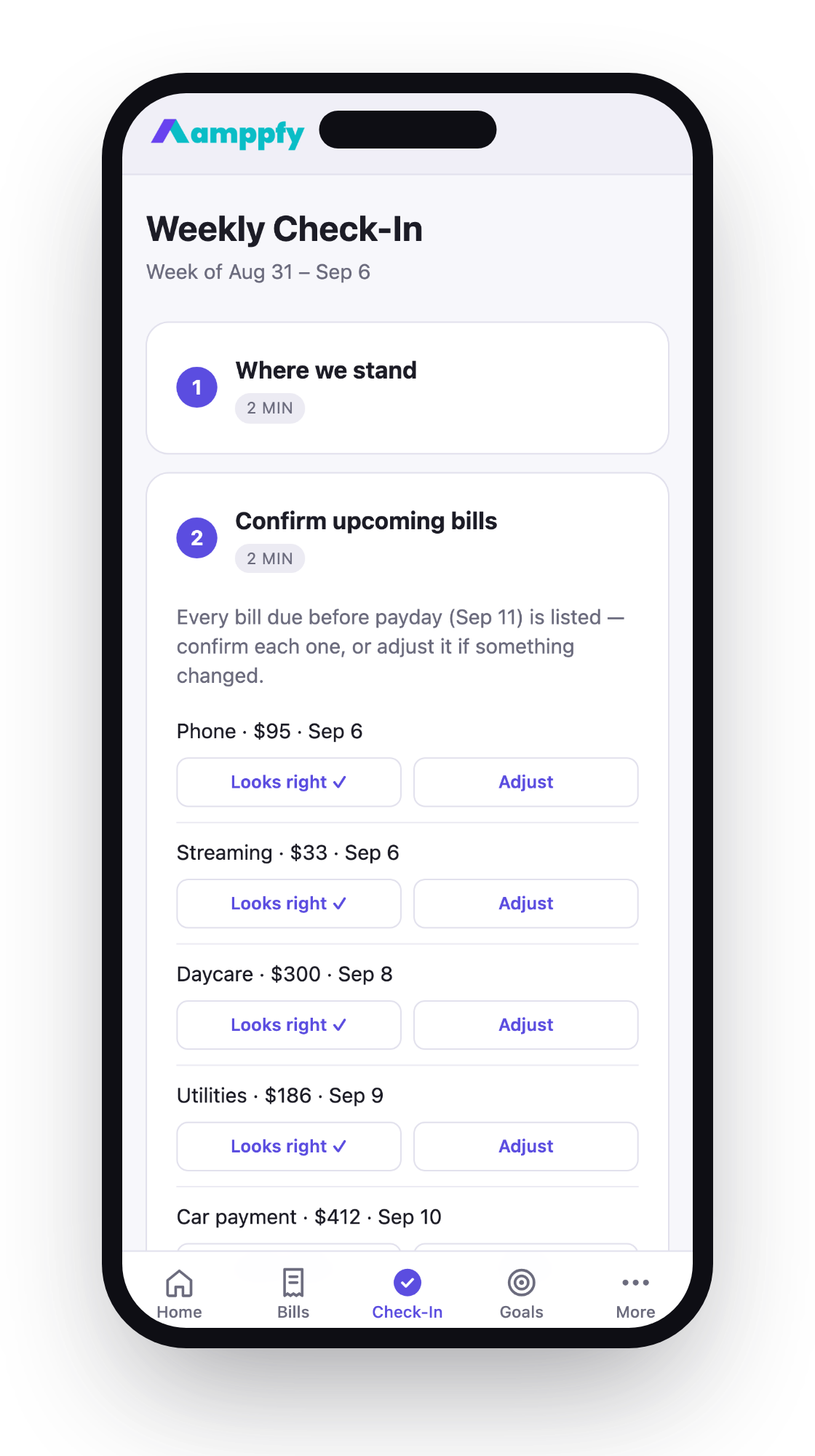
Section titled “What you’ll do”- Confirm your balances. For each account, type the current balance from your bank app. No transactions to sort, no categories — just the numbers, about 30 seconds per account.
- Confirm upcoming bills. Glance at what’s due before payday. If a bill came in higher or lower than usual, adjust the amount. This step also asks about any subscriptions you haven’t looked at in a while: still using it, or cancel it.
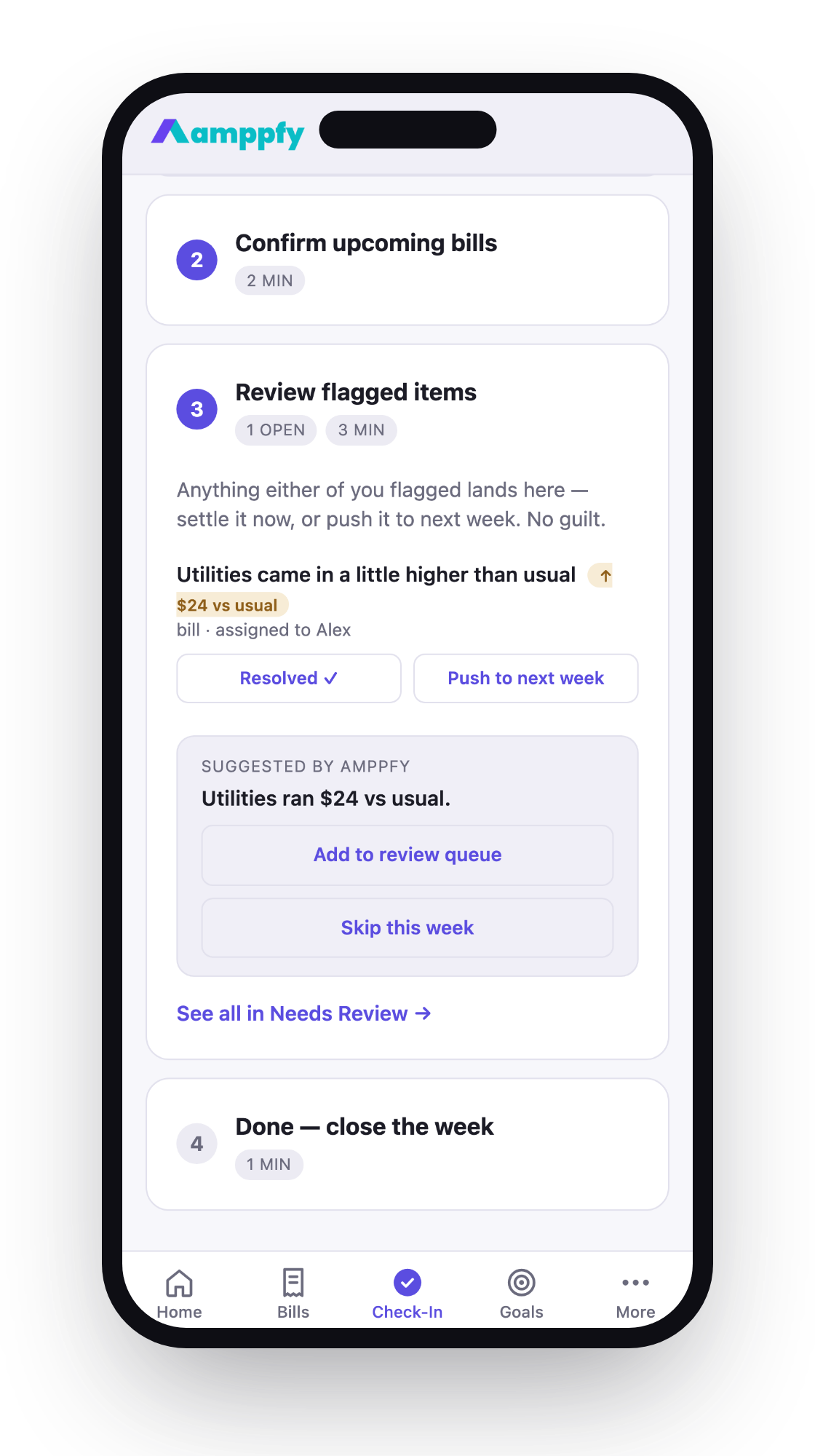
- Review anything flagged. Items in Needs Review — a bill that changed, something assigned to you — get a look and a decision.
- Close the week. Done. Your number is fresh and honest.
Streaks
Section titled “Streaks”Finishing a check-in extends your streak, shown on the dashboard. It’s a quiet nudge, never a guilt trip — if you skip a week, the streak simply waits for you. Your number keeps working between check-ins either way; it’s just at its most accurate right after one.
Doing it together
Section titled “Doing it together”If you share your household, the check-in is designed to be done together — same ten minutes, whether you’re on one screen or each on your own phone. Your partner sees the same number and the same math you do, and whatever either of you confirms shows up for the other within a moment.